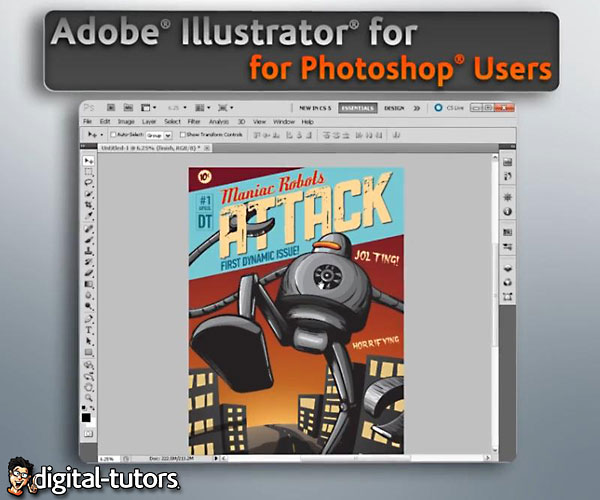
In this series of lessons, we’ll focus on introducing Photoshop users to Adobe Illustrator. We’ll begin this course by learning about the differences between vectors and pixels. Then we’ll take some time to explore Illustrator’s workspace, learning how and why it’s different from the Photoshop workspace. Next, we’ll learn about basic Illustrator objects and explore some of the tools within Illustrator used to create these objects. From there we’ll look at ways to organize and manage objects with groups and layers. We’ll also have the opportunity to take a look at some of the more advanced tools in Illustrator, including the pathfinder panel, compound paths, masking, and using Illustrator effects. Finally, we’ll learn how Photoshop works hand in hand with Illustrator using smart objects. After completing this training, you should have enough knowledge to begin creating and manipulating your own projects inside Illustrator.
Warning: Be sure to scan all the downloaded files with your Antivirus and if there is an executable or installer file, make sure to have your antivirus active and open in the background while installing or running the app. Some of the materials posted here are downloaded from CGPeers, So they could potentially have something injected in them.
We always ask bloggers to scan all the files before publishing the posts, but sometimes it's hard to detect all these things, so if you found anything suspicious (Not false positive, Generic, Patcher, Riskware and Heuristic results, most patches could get false flags like that by some Antivirus companies.) be sure to post comments with the file name and a VirusTotal report result link or the file MD5 Hash (higher than 30% overall positive result). Thank you.






A torrent of this file would be enormously appreciated.
don’t bitching for torrent, find on peers as Owen already post>Password:
Torrent PLEASE???
Yeah, because that was intelligible.
torrent needed !
http://cgpeers.com/torrents?id=22780