
Blender DVD training: Creature Factory – 6,6 GB


cmiVFX Shake tutorial collection
cmiVFX Shake Advanced
This is the Shake 3 Disk of 4 in the Learning Shake series kit. This video is focused towards intermediate users, and is a pre-requirement for Shake Advanced.

Michael Jensen | Character Modeling for Games [3DS MAX]
Language: English
Five spots on the establishment from scratch Hi-poly character.
Continue Reading

Gnomon Workshop – Designing Creatures in Photoshop
In this DVD, Aaron Sims shows how he uses Adobe Photoshop? to create and design
characters and creatures. Aaron covers many of his techniques for designing
character concepts and discusses the logic behind his methods. Continue Reading
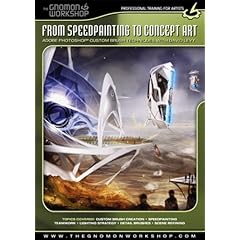
The Gnomon Workshop – From Speedpainting to Concept Art in Photoshop
In this DVD, David Levy demonstrates the Adobe Photoshop techniques that he uses to create environ- ments for the entertainment industry. He specifically reveals the custom brush creation techniques that have been perfected by a small group of passionate artists in Montreal. From two basic brushes, David shows you how to develop your own library of custom brushes that will allow you to gain speed and efficiency during your speedpainting process. Continue Reading

Lynda.com Shake 4.1 Essential Training
Shake is the tool of choice for major motion picture studios. It has had a starring role in producing the Oscar-winning visual effects for King Kong and many other films. Shake 4.1 Essential Training provides a solid foundation for creating award-winning compositions. From clarifying the often confusing interface to introducing the concepts of node-based compositing, from teaching the different modal views to explaining how to render files, this training provides a thorough introduction to Shake. Part I covers working with various media, learning shortcuts, using the Curve Editor, and rendering to disk. Part II will be available in the early summer and will cover key topics such as masks, rotoscoping, color correction, image tracking, and keying. Exercise files accompany the tutorial

Gnomon Shake tutorial collection
Gnomon Shake 101 :Interface and Workflow
Designed for the compositing artist new to Shake, this lecture covers the essential capabilities and workflow of the program. Martin discusses the UI (user interface) covering all aspects of its functionality. He focuses on his own production workflow, revealing how to effectively create a professional node-based composite. Topics covered include rotoscoping, color correction, premultiplication issues of a digital image, animation and movement. Learn methodologies and shortcuts that will dramatically improve your efficiency and performance

Digital Tutors – Next-Gen Game Pipeline Bundle(16CD)
Digital Tutors – Next-Gen Game Pipeline Bundle
8 Gb | 16 CD | 29 hrs. 55 min
Learn the production workflow to next-gen game development and time-saving techniques for all stages of game development pipelines. Features low-poly modeling in Maya, sculpting and adding detail in ZBrush, texture painting in ZBrush, animation techniques in Maya, building real-time shaders, and deploying your game with Maya and XNA. Contains nearly 30 hours of project-based training for technical and creative artists.
Included in this bundle:



 CG Channel News
