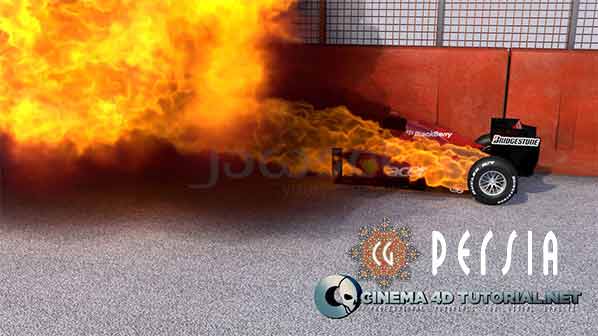
In this tutorial we will learn to use the Sound Effector to create animated sequences in CINEMA 4D.
Continue Reading

In this tutorial we will learn to use the Sound Effector to create animated sequences in CINEMA 4D.
Continue Reading

Duration 1h 28m Level Advanced Project Files Included 15 FPS MP4
In this course we are going to create an organic and visually stunning shot using the modeling and dynamics tools in CINEMA 4D and After Effects. We will utilize CINEMA 4D’s hair dynamics to set up a web-like element, then integrate spline dynamics within the hair module itself. We will then composite our render passes into After Effects while integrating some of After Effects plug-ins. Finally we will achieve realistic lens effects that will give us a natural and flowing effect which will result in this serene, organic shot.
Rapidgator
http://rg.to/file/8d8f48af3f839b061c2856b0310fd86c/DTCreArtWDC4D.part1.rar.html
http://rg.to/file/b9b43d52d0d0035c73bba765e83c9211/DTCreArtWDC4D.part2.rar.html
http://rg.to/file/6bdf26d05ff64f9f08ad7ee905508ec5/DTCreArtWDC4D.part3.rar.html
Nitroflare
http://www.nitroflare.com/view/510CCC5FF73640D
http://www.nitroflare.com/view/8AA9C7FE0E25576
http://www.nitroflare.com/view/E082698155F7455

Duration 3h 51m Level Intermediate Project Files Included 15FPS MP4 2.25GB
In this series of tutorials, we will go through the process for rigging, animating, texturing, rendering, and compositing a morning news opener style motion graphics piece. We start out by creating a camera path that we can arrange our models around for a quick setup and flow of the piece. We learn how to create sweeps that move around our models for added emphasis, and we learn fast ways to get our camera pointing in the right direction along this complex path. After finishing our animations, we move onto briefly discussing our texture workflow. We then begin working in After Effects where we take the piece from looking good, to great, by adding a series of effects and color tweaks. This course is for you if you want to create a motion?graphics piece that takes the guess work out of your camera animation. By the end of this course, you will have your very own finalized motion graphic as well as a new knowledge on the workflow between CINEMA 4D and After Effects.
Rapidgator
http://rg.to/file/e39e4206e6811c4bfbf16ee6f25bef68/DTCreMNewOpeC4DAE.part1.rar.html
http://rg.to/file/4a09d7e38e5d30854a42f398ef0c34fe/DTCreMNewOpeC4DAE.part2.rar.html
http://rg.to/file/7413307487ea8158128df5760e655c64/DTCreMNewOpeC4DAE.part3.rar.html
http://rg.to/file/7dbd31a9a370a43f864cc291e1335ff8/DTCreMNewOpeC4DAE.part4.rar.html
Filefactory
http://www.filefactory.com/file/5itc91arj4d9/DTCreMNewOpeC4DAE_part1_rar
http://www.filefactory.com/file/6iupdnghpkkn/DTCreMNewOpeC4DAE_part2_rar
http://www.filefactory.com/file/4no58o1v8bij/DTCreMNewOpeC4DAE_part3_rar
http://www.filefactory.com/file/2e4x1e2o2bb3/DTCreMNewOpeC4DAE_part4_rar
?

Compatible With All Flavors Of Cinema 4D
We just relasead a new version of Texture Kit Pro that is compatible with ALL versions and flavors of Cinema 4D R12, R13, R14 and up including Prime, Visualize, Broadcast and Studio. The really big news? Texture Kit Pro is now compatible with Cinema 4D Lite
*Hair materials need Studio To Render
More Materials
Texture Kit Pro is a constantly growing set of materials. Over 50 New Textures were added in this version including Plasticine, Marshmallow, Clumpy Sand, Cloudy Ice Cube , and Infrared.
Fully Tile-able Textures
We have gone back and adjusted all of Texture Kit Pro?s relevant textures to be Fully Tile-able. Just apply and scale to fit your scene. We also have many procedural materials that require no tiling and will fit any size object.
HUGE Texture Gallery
We designed a giant texture gallery that shows off Texture Kit Pro?s materials in a searchable interface.
Rapidgator
http://rg.to/file/29e66142c0123308c89547a0210e979d/GreyScaGorTKP3.rar.html
Uploaded
http://ul.to/a3du1k53
Oboom
http://www.oboom.com/OV3OD4XG/GreyScaGorTKP3.rar

Indigo Render Standalone Max Cinema4D v3.6.26
Continue Reading

VRAY for C4D 1.8.1.63 Win/Mac
Continue Reading

Duration 2h 54m Level Advanced Project Files Included 15FPS MP4 1.32GB
In this series of tutorials we will learn how to create a modern interior creation with CINEMA 4D and V-Ray.
In this tutorial we are going to take an in-depth look into V-Ray for CINEMA 4D. We will start by modeling an interior to scale from CAD files, and then proceed to explore all facets of V-Ray for CINEMA 4D. We will learn basic lighting setups, materials, and render settings. Then we will look at additional lighting setups such as HDRI lighting.
In the end we will do post-production to add those last finishing touches using Photoshop.
Rapidgator
http://rapidgator.net/file/7ba52f93ee147a258d13663c4f744569/DTCreModStyIntScC4DVRay.part1.rar.html
http://rapidgator.net/file/2d438542749d7af80bd032ea0026ae26/DTCreModStyIntScC4DVRay.part2.rar.html
http://rapidgator.net/file/97f64480ea5c3f33865944383a7533a8/DTCreModStyIntScC4DVRay.part3.rar.html
http://rapidgator.net/file/ca30159061cc5a50217c065959a3f11a/DTCreModStyIntScC4DVRay.part4.rar.html
Uploaded
http://ul.to/m1rjlwy5
http://ul.to/9eo85eah
http://ul.to/w7g1dpv9
http://ul.to/ib0msbb4

Indigo Render Standalone Max Cinema4D v3.6.24