
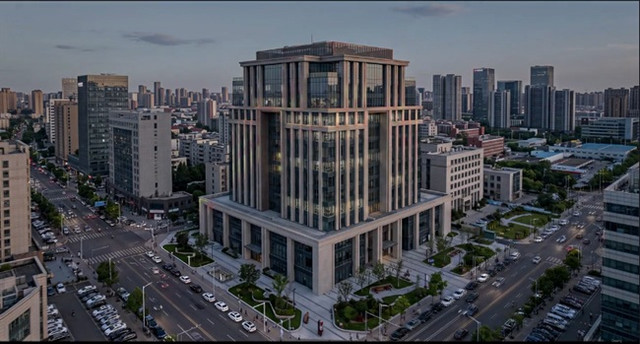
Duration 1h MP4

Title: Udemy – Architectural Lighting Visualization in After Effects
Info:
What you’ll learn
Create professional architectural lighting visualizations using Photoshop and Adobe After Effects
Transform static architectural renders into realistic day and night lighting presentations
Apply architectural and facade lighting techniques using a professional project-based workflow
Integrate lighting products realistically using perspective, scale, light, shadow and composition
Animate facade lights, windows, lighting scenarios and transitions in Adobe After Effects
Create cinematic architectural lighting presentations for clients, portfolios and commercial projects
This course contains the use of artificial intelligence.
AI-generated voice narration is used throughout this course. All technical instruction, demonstrations, project workflows, lighting design decisions, and educational content have been created, reviewed, and verified by the instructor. The workflow also includes AI-assisted visual tools such as Adobe Firefly.
Create architectural lighting presentations with Photoshop and After Effects
Turn a static architectural render into a day-to-night lighting presentation. In this practical, project-based course, you will follow an architectural lighting visualization workflow from Photoshop preparation to animated facade lighting and final presentation in Adobe After Effects.
The focus is architectural lighting visualization and professional project workflow. Basic familiarity with Photoshop and After Effects is recommended: this is an intermediate application course, not an introduction to the software interfaces or every menu and editing tool.
Follow the project from preparation to presentation
Begin with an overview of the complete workflow and a preview of the finished architectural lighting project. Then organize your project folder and prepare day and night visuals in Photoshop, including AI-assisted image editing where appropriate.
Prepare facade lighting elements on separate layers, work with architectural outlines, and export transparent assets for After Effects. Consider perspective, scale, placement, light, and shadow so that lighting products and effects fit naturally into the building image.
Next, bring the prepared assets into After Effects, organize the layers, and build a composition for RGB architectural lighting. Develop lighting scenarios and animate the presentation using keyframes, timing, and controlled transitions. Continue with music synchronization and finish with a professional opening cover for your architectural lighting presentation.
The broader project workflow also demonstrates presentation techniques such as cinematic camera movement, logo animation, transitions, and final video export. You will see how Photoshop preparation, After Effects animation, and lighting design decisions work together to communicate a visual concept.
Learn through a focused architectural project
This course contains approximately one hour of video across seven lessons. Two downloadable resources are included: a Photoshop project file and a ZIP archive of facade lighting project materials. Use the resources provided with the Photoshop lessons to follow the project and practice the workflow.
For a clear learning path, watch the project overview, view the finished result, and then work through the preparation and animation lessons in sequence. Pause and revisit individual steps as you apply the techniques to your own architectural visuals.
Who this course is for
The course is designed for lighting designers, architectural lighting professionals, architects, interior designers, architectural visualization artists, and 3D artists who want to present lighting concepts more effectively. It is also suitable for Photoshop and After Effects users who want to apply their existing skills to architectural and facade lighting visualization.
Before you begin
You should be comfortable with basic software navigation and common editing operations in Photoshop and After Effects. Access to both applications is needed to follow the practical workflow. AI-assisted steps also require access to the relevant features demonstrated in the lessons. Software subscriptions are not included with this course.
Download the project resources and keep an organized working folder before starting the practical lessons. The course and narration are in English.
By the end of the course, you will understand how to approach an architectural lighting visualization project from preparation to animation, and how to turn a static render into presentation material for portfolios, clients, architectural projects, and commercial work.
Who this course is for:
Lighting designers and architectural lighting professionals who want to create professional visual presentations
Architects and interior designers who want to visualize architectural and facade lighting concepts
Architectural visualization and 3D artists who want to add professional lighting presentation workflows to their projects
Photoshop and After Effects users who want to apply their existing software skills to architectural lighting visualization


https://rg.to/file/6d4b24c9983a0f4c5409e1352a23d3ec/UdemyArchitecturalLightingVisualizationinAfterEffects.part4.rar.html
https://rg.to/file/7366c2af7cb4831473444ae8916075ce/UdemyArchitecturalLightingVisualizationinAfterEffects.part3.rar.html
https://rg.to/file/87dc3fe53f47cedf406eae543d3c64db/UdemyArchitecturalLightingVisualizationinAfterEffects.part2.rar.html
https://rg.to/file/9c2b70ee76fe3ba65658389f41ebd0eb/UdemyArchitecturalLightingVisualizationinAfterEffects.part5.rar.html
https://rg.to/file/0e3225135973dac5be4e2c36f6cc440d/UdemyArchitecturalLightingVisualizationinAfterEffects.part1.rar.html

https://alfafile.net/file/AC7Uf
https://alfafile.net/file/AC7UY
https://alfafile.net/file/AC7UT
https://alfafile.net/file/AC7kZ
https://alfafile.net/file/AC7UK

https://nitroflare.com/view/BA0855603D6F60D/UdemyArchitecturalLightingVisualizationinAfterEffects.part1.rar
https://nitroflare.com/view/DD076E347067D1C/UdemyArchitecturalLightingVisualizationinAfterEffects.part2.rar
https://nitroflare.com/view/5CD7CE2B15C9296/UdemyArchitecturalLightingVisualizationinAfterEffects.part3.rar
https://nitroflare.com/view/28A14D796E73C4F/UdemyArchitecturalLightingVisualizationinAfterEffects.part4.rar
https://nitroflare.com/view/D0A595F0B9A7008/UdemyArchitecturalLightingVisualizationinAfterEffects.part5.rar





https://cgpersia.com/2026/05/render-camp-professional-visualization-14-203254.html
https://rapidgator.net/
File error. Need to update:
render.campProfessionalVisualization14.part46.rar
render.campProfessionalVisualization14.part47.rar
render.campProfessionalVisualization14.part48.rar
https://cgpersia.com/2026/08/cosmos-eclipse-game-dev-assets-tools-bundle-ue-v5-7-204677.html
https://rapidgator.net/
part06.rar
part07.rar
part08.rar
File corruption
https://cgpersia.com/2026/08/flipped-normals-creating-creatures-for-games-the-complete-masterclass-204667.html
Rapidgator is missing file part3
UP
https://rg.to/file/b537fca843d41f5eba9260c844310836
https://rg.to/file/500dade00816788d4ca569f9fa231ef4
https://rg.to/file/894bdce4366849696bc3a25f24283124
https://rg.to/file/a711218dcf8b3c6e461bc56f89ad810c
https://rg.to/file/757a4752a4747212a6f40d22830f1622
https://rg.to/file/696295ff39e13cd92f7aed1dd1a6da96
https://rg.to/file/4789cc726cb6583b12e57477b1515407