
Duration 4h 30m Project Files Included MP4

Title: Udemy – The Complete SketchUp Pro Course for Beginners
Info:
What you’ll learn
Navigate SketchUp Pro 2026 with confidence and build accurate 3D models of interiors, buildings and furniture from flat 2D floor plans
Organize complex models with groups, components, tags and the Outliner, keep files light and avoid sticky geometry and beginner mistakes
Create photorealistic PBR materials, position textures precisely and generate unique material maps with the built-in AI texture tool
Use the AI Assistant and image search, set up cameras, scenes and styles, and export 2D images, animations and AI-powered visualizations
Learn SketchUp Pro 2026 the Right Way – From Your First Line to AI Visualizations
SketchUp is one of the fastest and most intuitive 3D modeling programs used by architects, interior designers and furniture makers around the world. Getting a simple model on screen takes minutes, but building projects that stay clean, light and easy to edit requires a solid understanding of how the software really works. This beginner-friendly SketchUp course gives you exactly that: a complete, modern workflow for SketchUp Pro 2026, explained step by step and supported by the newest AI features built into the program.
Over 70 short video lessons and more than five hours of content, you will move from installing the software to exporting presentation images, animations and AI-generated visualizations of your own designs.
Understand the Logic Behind SketchUp, Not Just the Buttons
Many self-taught users learn which icon to click but never learn why the model behaves the way it does. This course focuses on the reasoning behind every tool. You will find out why SketchUp has no true curves, how edges and faces stick together, and how to orbit, pan and zoom without the camera clipping through your model. Once these foundations are clear, the rest of the program becomes predictable – and you stop fighting the software.
You start with the interface, file saving and navigation, then learn to draw in 2D with lines, rectangles, circles, polygons and arcs. Next come measurements, guides, dimensions and text labels, followed by transformation tools such as Move, Rotate, Scale, Flip, Offset and arrays.
3D Modeling Techniques: From Flat Floor Plans to Full Models
With the basics in place, you will turn 2D shapes into solid geometry using Push/Pull, Follow Me, lathed forms, spheres and 3D text. The goal is simple: to go quickly and precisely from a flat drawing to a complete three-dimensional model of an interior, a building or a piece of furniture.
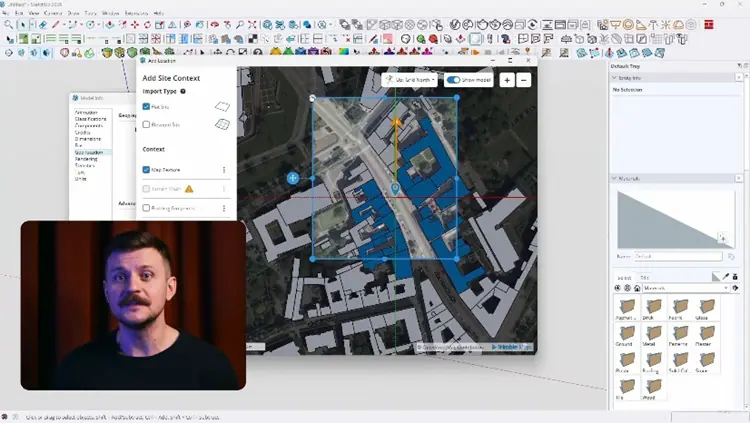
You will also explore more advanced geometry tools, including Solid Tools for boolean operations, the Sandbox toolset for terrain modeling and importing real-world site terrain into your project.
Clean Workflow: Groups, Components, Tags and Model Organization
A good model is an organized model. A dedicated module shows you how to use Groups, Components and the new Live Components, how to work with the Outliner and Tags, and how hidden geometry differs from hidden objects. You will set up your own keyboard shortcuts and learn habits that keep geometry from merging by accident.
These rules of good working practice – often called model hygiene – are what separate fast, confident designers from frustrated beginners. They also keep file sizes small, so even complex scenes stay responsive. If you already know an older version of SketchUp, this is the perfect chance to drop slow habits and adopt a cleaner workflow.
Photorealistic PBR Materials and Texture Mapping
SketchUp Pro 2026 supports Physically Based Rendering (PBR) materials natively, which means realistic surfaces directly in the viewport, with no external render engine required. You will begin with color fills, custom materials, textures and seamless patterns, and learn where to find good texture resources.
Then you will build full PBR materials using roughness, metalness and normal maps, control reflections and surface relief, and master advanced texture positioning. You will also try the AI-powered Generate Textures feature to create unique material maps in seconds.
AI Tools in SketchUp: AI Assistant, Image Search and 3D Mesh Generation
The newest version of SketchUp includes intelligent tools that speed up everyday design work. You will learn how to use the built-in AI Assistant to solve problems without leaving the program, how to find furniture and objects in 3D Warehouse by searching with an image, and how to generate 3D meshes with artificial intelligence.
You will also learn where to find extensions, install them via the Extension Manager and use external model libraries to furnish scenes faster.
Cameras, Scenes, Styles and Composition
A strong model deserves a strong presentation. You will work with section planes, scenes, camera placement and Match Photo, and you will learn how to control field of view and composition. In the presentation module you will set up styles, shadows, fog, environments and optimal display settings that make your views look professional.
Export Images, Animations and AI Renders
In the final part of the course you will export high-quality 2D images and simple walkthrough animations. You will then see how a raw SketchUp model can become a striking image or a short video using AI Render inside SketchUp and other proven AI tools, including Raya design – a platform for AI visualizations and animations. This lets you show concepts to clients almost in real time, with no long render settings. To round things off, you will get an overview of classic rendering engines and suggestions for your next steps, from technical documentation in LayOut to advanced visualization.
Who Teaches This SketchUp Course?
Your instructor is Piotr Kurpiewski, an architect, 3D artist and educator who runs a visualization studio working on architecture, graphics and industrial design projects. He explains each topic clearly and calmly, so you can follow along even if 3D is completely new to you.
Course Format: Short, Practical Lessons at Your Own Pace
Lessons are short and focused, which makes it easy to learn in small steps and return to specific topics while working on real projects. Exercise files are included so you can practise alongside the videos. The software interface is shown in English – the industry standard – and every tool is explained in detail.
Enroll today and start designing in SketchUp Pro 2026 faster, more confidently and without frustration.
Who this course is for:
Architects and interior designers who want a fast, reliable tool to turn ideas and floor plans into clear 3D models and visuals
Architecture, interior design and spatial design students looking for a solid SketchUp foundation for projects and future work
Complete beginners in 3D who want to learn SketchUp step by step, plus users of older versions who want a modern 2026 workflow
Furniture designers, makers and design enthusiasts who want to model, texture and present their ideas with the help of AI tools


https://rg.to/file/a13b2305a49d3fbd3a55d16deb23caad/UdemyTheCompleteSketchUpProCourseforBeginners.part5.rar.html
https://rg.to/file/daa8b38750288400aade6d50b5d843de/UdemyTheCompleteSketchUpProCourseforBeginners.part2.rar.html
https://rg.to/file/8d0e232aef3cd3769019fddf9c7133a1/UdemyTheCompleteSketchUpProCourseforBeginners.part4.rar.html
https://rg.to/file/f8e911f651c7c85f2848039722300c9d/UdemyTheCompleteSketchUpProCourseforBeginners.part3.rar.html
https://rg.to/file/ff2dd6c3ef711bced863aa1f6fd91d30/UdemyTheCompleteSketchUpProCourseforBeginners.part1.rar.html

https://alfafile.net/file/AXRSo
https://alfafile.net/file/AXRSc
https://alfafile.net/file/AXRSh
https://alfafile.net/file/AXRSS
https://alfafile.net/file/AXRSR

https://nitroflare.com/view/7C4388D72C2C2E3/UdemyTheCompleteSketchUpProCourseforBeginners.part1.rar
https://nitroflare.com/view/9F72EE46FAD209E/UdemyTheCompleteSketchUpProCourseforBeginners.part2.rar
https://nitroflare.com/view/B84685AF52AEB52/UdemyTheCompleteSketchUpProCourseforBeginners.part3.rar
https://nitroflare.com/view/CE93C8739B640BB/UdemyTheCompleteSketchUpProCourseforBeginners.part4.rar
https://nitroflare.com/view/3DD987D16623F4E/UdemyTheCompleteSketchUpProCourseforBeginners.part5.rar




