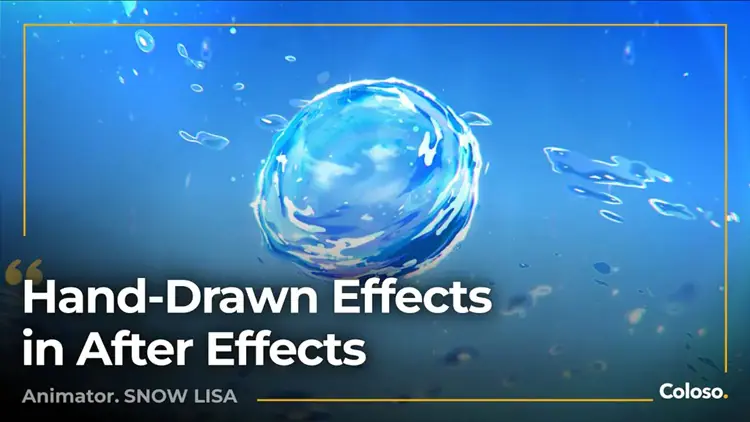
Duration 13h Project Files Included MP4

Title: Coloso – Recreating Hand-Drawn Effects in After Effects
Info:
Digital Tools, Hand-Drawn Feel: Master Anime-Style Effects in AE
In animation, some of the most striking visual moments come from special effects that feel alive and handcrafted. This course teaches you how to recreate those effects in After Effects while retaining the warmth, dynamics, and expressiveness of hand-drawn animations.
Curriculum:
Section 01 OT
01. Course Introduction
Introduce the overall structure of the course and the final results
Display the settings of the AE workspace, as well as the necessary plugins and scripts
Section 02 Preparations Before Production
02. Breaking the Digital Aesthetic: The Core Aesthetic Theory of Anime Special Effects
Analyze the characteristics of hand-drawn animation special effects: brushstrokes, textures, irregular movements, color gradations, and compare them with CG special effects to establish aesthetic standards
03. Methodology for Animation Special Effects Production (Part 1)
Conduct a detailed analysis of a film clip by disassembling a special effects shot to examine its shape, movement, texture, and color
04. Methodology for Animation Special Effects Production (Part 2)
Convert the disassembled elements into actionable steps for implementation in AE
Section 03 Controlled Flame Effect
05. Introduction to Anime Textures in After Effects
Apply a combination of fractal noise, polar coordinates, distortion, and other effectors to create anime-style textures
06. Flame Effect (Part 1)
Create the base flame form
07. Flame Effect (Part 2)
Add animation effects to the flame
Apply delicate light, shadow, and color effects to enhance the flame
Section 04 Controlled Cloud Effect
08. Cloud Formation (Part 1)
Construct base clouds and manipulate their forms
09. Cloud Formation (Part 2)
Add details using effectors
10. Skyscape (Part 1)
Create the base composition for the sky background
11. Skyscape (Part 2)
Combine and arrange clouds with the sky background
Section 05 Controlled Explosion Effect
12. Explosions (Part 1)
Construct base explosions and manipulate their forms
13. Explosions (Part 2)
Use effectors to create explosion animations
Section 06 Advanced Explosion Effect
14. Pre-Production
Examine the final explosion effect, gradually disassemble the specific implementation methods, and analyze their characteristics
15. Advanced Explosion Effect (Part 1)
Add texture to the base explosion
16. Advanced Explosion Effect (Part 2)
Animate the explosion
17. Advanced Explosion Effect (Part 3)
Add details to the explosion
Section 07 Advanced Bubble Effect
18. Pre-Production
Examine the final bubble effect, gradually disassemble the implementation method of the special effect, and analyze its characteristics
19. Summer Bubble Animation (Part 1)
Create the base bubble shape using fractal noise
20. Summer Bubble Animation (Part 2)
Animate the bubble and add particle effects
21. Summer Bubble Animation (Part 3)
Add light and shadow effects
Section 08 Outro
22. Course Summary
How to improve your compositing skills


https://rg.to/folder/8984331/Coloso%20Recreating%20Hand%20Drawn%20Effects%20in%20After%20Effects%20L.html

http://alfafile.net/folder/GeRf

https://nitroflare.com/folder/10203/Lz5IwMjYvQ29sb3NvIFJlY3JlYXRpbmcgSGFuZCBEcmF3biBFZmZlY3RzIGluIEFmdGVyIEVmZmVjdHMvQ29sb3NvIFJlY3JlYXRpbmcgSGFuZCBEcmF3biBFZmZlY3RzIGluIEFmdGVyIEVmZmVjdHMgTA==