3D

Lost Pencil 3Ds Max Modeling 4CD

Manufacturer: LostPencil
Language: English
Video codecs: XviD
Video: XVID 800×600 10.00fps 746Kbps
Audio: MPEG Audio Layer 3 22050Hz stereo 160Kbps
Description: You dream to model his horse and did not know how? Then the 11 CD ROMs for you. They will tell and show you how to do it, you become totally complete – Modeling, UV Mapping, Rigging, Animating.
Translate the vision into reality and keep your horse in your projects!
Continue Reading

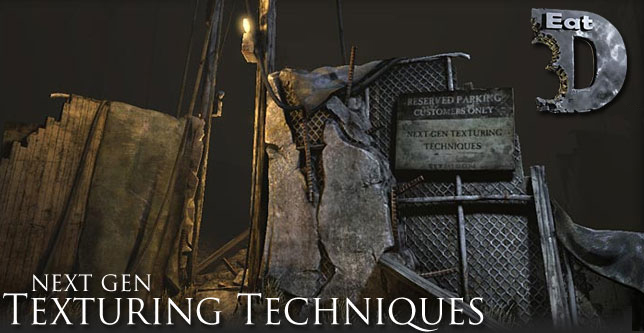
3D Total Next Gen Texturing Techniques 3DS Max 2009 | 1.7GB

In this demonstration the instructor starts off by explaining the very fundamentals of using Photoshop for texturing. From there he goes into depth on how to set up your high res and low res meshes for rendering Normal, AO, and other Maps.

Continue Reading

Another Simulation

Ozone 4.0 is a complete and unique solution for creating multi-faceted atmospheres in Lightwave 3D, Cinema4D, 3ds Max, Maya and XSI. Ozone 4.0 features an elaborate atmosphere engine that does much more than create extremely realistic sky pictures. Ozone’s atmospheres provide an accurately simulated environment that affects all the elements of the scene, and behave according to nature’s rules.

Continue Reading

Autodesk 3D Studio Max Design 2010 – Full ISO DVD XFORCE

Autodesk 3D Studio Max Design 2010 – Full ISO DVD XFORCE

Explore, validate, and communicate your ideas with Autodesk? 3ds Max? Design 2010 software?a comprehensive 3D modeling, animation, and rendering solution that supports the way architects, designers, engineers, and design visualization specialists approach their projects?from initial concept models to final, cinema-quality presentations. Digital continuity with the AutoCAD?, Revit?, and Autodesk? Inventor? software product families makes 3ds Max Design a key solution for seamless digital visualization workflow.
Hardware Requirements

Continue Reading

Gnomon Shake tutorial collection

Gnomon Shake 101 :Interface and Workflow

Designed for the compositing artist new to Shake, this lecture covers the essential capabilities and workflow of the program. Martin discusses the UI (user interface) covering all aspects of its functionality. He focuses on his own production workflow, revealing how to effectively create a professional node-based composite. Topics covered include rotoscoping, color correction, premultiplication issues of a digital image, animation and movement. Learn methodologies and shortcuts that will dramatically improve your efficiency and performance

Continue Reading



