Softwares

IMG

***

Ticket01 CoNtoURBS For Maya 2010, 2011 32Bit & 64Bit


When it comes to creating high-quality wireframe renderings of your objects there?s the contour rendering option in mental ray. Unfortunately this feature will only render polygonal geometry. What if you need a high-quality wireframe rendering of your NURBS geometry?
This is where CoNtoURBS comes into play. It combines a Maya plug-in with a custom mental ray shader. Its setup cannot be easier than: select your NURBS object, create the complete setup via the plug-in, render! The images show the difference between the Maya viewport preview and the CoNtoURBS shader.

The shader also supports trimmed surfaces and you can even override the span count in U and V direction without changing the object itself! CoNtoURBS allows for simple contour shading as well as using it in conjunction with every other more complex contour shader, e.g. contour_shader_depthfade, mental ray offers.

CoNtoURBS for mental ray for Maya works within Maya and in batch rendering.

All rights reserved. All trademarks contained herein are the property of their respective owners.

If you like this software,Buy it

Enjoy !

IMG

IMG

Ticket01 CoNtoURBS For Maya 2010, 2011 32Bit & 64Bit

IMG
IMG Download

Many Thanks to Esanti & His cracking Team

Enjoy it !

Play DVD BOY’s

IMG

IMG

***

Ticket01 Konstrukt For Maya 2010, 2011 32Bit & 64Bit

What is the Konstrukt plug-in?

When it comes to the search for new shapes that no one ever before has encountered – Konstrukt will support and help you with that. Its Geometry Deformer works like an object magnet that can attach and project all kinds of geometry onto a NURBS surface. The projected geometry will stay modifiable. While being attached and floating across the base, the objects can easily be transformed like any other object. The common manipulators are provided to do so and ensure an interactive feedback.

Konstrukt creates random Voronoi diagrams on-the-fly. A 20.000 cell entity is usually done in under a second. A built in option can also transform these diagrams into Centroidal Voronoi Diagrams. How fast this transformation goes is entirely up to you. It?s all in the sliders. Voronoi diagrams* can be used to create a variety of shapes, e.g. cell-like structures, cracked and shattered objects, stained glass or other interesting objects that would be tedious to nearly impossible when tried to be modeled manually.

The Honeycomb module will do exactly what it says, it creates hexagonal structures. These are also highly configurable and very versatile.
The Extended LiveWire is a consistent further development of the LiveWire feature found in the MultiTool. It enhancements are texture-driven variable insets that can be applied per-face or per-vertex.

Generize. Using a NURBS surface as base object and any kind of geometry (curves, surfaces, meshes) as template allows the artist for creating complex pattern-based objects that deform with their base shape. The image to the right was created using a simple sphere as base and only one template. The repetition along U and V across the base surface can be changed interactively in the scene. Generize offers a lot more, like texture-map driven scaling and distribution, Genotype::Phenotype support for blending between up to 4 different shapes, attractor support to create unique objects and much more.

object* replication within NURBS parametric space

deformation follows NURBS object

unique 2D texture map driven scaling

All rights reserved. All trademarks contained herein are the property of their respective owners.

If you like this software,Buy it

Enjoy !

IMG

IMG

Ticket01 Konstrukt For Maya 2010, 2011 32Bit & 64Bit

IMG
IMG Download

Many Thanks to Esanti & His cracking Team

Enjoy it !

Play DVD BOY’s

IMG

dddd

Smuggled out of the DRAGONS LAiR and

Disks: 01 x 2,86MB
3DATTACK – LUMEN
Copyright 2005 3D ATTACK – http://www.3dattack.net

for Cinema 4D versions 10 and higher

________________________________________________________________________________

LUMEN is a plugin for Cinema 4D which provides a fast and efficient
global illumination and special effects solution. LUMEN creates an
array of lights using a source object’s points or polygons. LUMEN
source objects can be any polygon object, spline, primitive, or
primitive spline, and several light parameters can be controlled
with information derived from bitmaps or procedural textures.

________________________________________________________________________________

Installation

The contents of the distributed archive (3dattack_lumen_1.1.zip) should
be directly unzipped to your Cinema 4D plugins folder.
Make sure to preserve folder information while unzipping.

Your folder setup should look like this:

cinema4d
–plugins
—-3DATTACK
——3DAUtility
——LUMEN

If 3DAUtiliity already exists, overwrite it only with a newer version.

Note: LUMEN Lite must be removed prior to installation.

Web Support:
http://www.3dattack.net/forum/

________________________________________________________________________________

Do not distribute this file or any of it’s contents without express
permission from 3DATTACK.

Do not alter the contents of this file.

3DATTACK cannot be held responsible for any damages or loss of data that may occur
during the use of this software. 3DATTACK provides this software AS IS with no
warranties expressed or implied.

dssdds

Xara 6 Pro

dddd

Xara3D is so simple to use, literally anyone can produce high quality 3D graphics in minutes.

Both professional web designers and home users choose Xara3D to make still and animated 3D text and graphics, such as logos, titles, headings and buttons.

Traditional 3D programs are notoriously difficult to use and understand. Not so Xara3D. Unlike much modern ‘bloatware’ that offers more features than are ever likely to be used, and take an age to learn and understand, Xara3D has been created to perform one job, and performs that job with style, speed, and slick simplicity.

Xara3D is solely designed to create the highest quality 3D text and graphics, such as logos, titles, headings and buttons. It’s the perfect way to add impact to your web pages, mailshots and presentations (all images are fully anti-aliased for that smooth, professional quality). Xara3D can also create awesome 3D animations in seconds – GIFs, AVIs and simple Flash movie sequences – and you can even enhance your desktop by saving any animation as a screensaver!

Creating and Importing
? Text headings can use any TrueType font. Nine fonts are included in the trial download and there are 60 on the CD. Simply select the font from the drop down menu and type away, you?ll create your first heading in seconds!
? Full text control, including alignment, sub- & superscript, line spacing, tracking and kerning values for individual characters or over whole selections
? Instant access to full character sets from within the text dialog – see screenshot
? Create non-text headings by importing 2D graphics as Windows metafiles (WMF and EMF) or CorelXARA/Webster files (XAR and WEB) and extruding the outlines – see examples – the Webster drawing package is included free with Xara3D!
? An automatic design-making tool instantly converts any text heading into a button, board or board with holes see screenshot – see examples
? Full anti-aliasing for the best possible on-screen display quality.

Exporting your results
? Outputs JPEG, GIF, BMP, PNG (including full PNG alpha channel), ICO (icon), CUR (cursor), animated GIF, AVI and SWF (vector and bitmap)
? Any 3D animation can also be exported as a screensaver
? Optional background transparency
? Color reduction and palette-optimization for maximum quality with the smallest file size, ideal for web pages and presentations – see screenshot
? Complete control over the image size, including a handy Fit To Width feature (with pixel size shown on screen).

Download
dddd

ddddddd

Sapphire Plug-ins version 2.02 is now available for:
Adobe After Effects
Adobe Premiere Pro & Premiere Elements
Apple Final Cut Pro
Autodesk Combustion
Eyeon Fusion
Quantel with Synapse
Download a FREE TRIAL for Windows or Mac OS X

Over 30 new effects and many enhancements in version 2.
Includes support for Adobe CS3 and Smart FX.
Support for Mac OS 10.5 Leopard and Mac Intel hardware.
Support for Windows Vista
More than 200 total plug-ins for image processing and synthesis.
All plug-ins have multiple options and parameters that can be adjusted and animated for creating an unlimited range of effects.
Resolution independent, antialiased, high quality images.
Online hyper-linked documentation for all plug-ins.
Dual, Quad, and 8-core support for faster rendering.
On-screen user interface for visual control of parameters in After Effects and Premiere Pro.
Only one license is needed to use the plug-ins with all AE compatible applications on the same computer.
Free network rendering on After Effects, Combustion, and Digital Fusion.
See the v2 press release

List of Effects

Box 1: Lighting

Glow Effects
Glow
GlowAura
GlowDarks
GlowDist
GlowEdges
GlowNoise
GlowOrthicon
GlowRainbow
GlowRings
ZGlow
Light Beams
Rays
EdgeRays
Streaks

LensFlares
LensFlare
LensFlareAutoTr ack
Glints & Glares
Glint
GlintRainbow
Glare

Other Lighting
DropShadow
Light3D
SpotLight

Box 2: Stylize

AutoPaint & HalfTone
AutoPaint
Sketch
Etching
Cartoon
CartoonPaint
Posterize
HalfTone
HalfToneColor
HalfToneRings

Kaleidoscopes
Kaleido:Triangl es
Kaleidoquares
Kaleidoiamond s
Kaleidoct
KaleidoPolar
FlysEyeCircles
FlysEyeHex
FlysEyeRect
TileScramble
FilmEffect & Grain
FilmEffect
FilmDamage
Vignette
BleachBypass
Grain
GrainStatic
Diffuse

Edge Effects
EdgeDetect
EdgeDetectDoubl e
EdgesInDirectio n
EdgeColorize

Embossing
Emboss
EmbossShiny
EmbossDistort
EmbossGlass
Other Stylize
BandPass
DogVision
JpegDamage
Mosaic
PseudoColor
PsykoBlobs
PsykoStripes
ScanLines
ScanLinesMono
Solarize
Zebrafy
ZebrafyColor
ZFogExponential
ZFogLinear

[img]Box 3: Adjust, Blur Sharpen, Composite & Distort[/img]

Adjust
ChannelSwitcher
ClampChroma
DuoTone
Gamma
Hotspots
HueSatBright
Invert
Monochrome
QuadTone
Threshold
Tint
TriTone
ShowBadColors

Composite
EdgeFlash
Layer
MathOps
MatteOps
MatteOpsComp
ZComp
Blur Sharpen
Blur
BlurChannels
BlurChroma
BlurDirectional
BlurMoCurves
BlurMotion
DefocusPrism
Convolve
ConvolveComp
Deband
EdgeBlur
GrainRemove
RackDefocus
RackDfComp
Sharpen
SoftFocus
ZConvolve
ZDefocus
ZBlur

Distort Effects
Distort
DistortBlur
DistortChroma
DistortRGB

Warps & Shake
WarpBubble
WarpBubble2
WarpChroma
WarpCornerPin
WarpDrops
WarpFishEye
WarpMagnify
WarpPerspective
WarpPolar
WarpPuddle
WarpPuff
WarpRepeat
WarpTransform
WarpVortex
WarpWaves
WarpWaves2
Shake

Box 4: Render, Time & Transitions

Lightning Zaps
Zap
ZapTo
ZapFrom

Gradients, Grid & Shape
Gradient
GradientMulti
GradientRadial
Grid
Shape

Procedural Textures
Sparkles
SparklesColor
TextureCells
TextureChromaSp iral
TextureFlux
TextureFolded
TextureLoops
TextureMoire
TextureNeurons
TextureNoiseEmb oss
TextureNoisePai nt
TexturePlasma
TextureSpots
TextureTiles
TextureWeave

Fractal Clouds
Clouds
CloudsColorSmoo th
CloudsMultColor
CloudsPerspecti ve
CloudsPsyko
CloudsVortex
Time Effects
Feedback
FeedbackBubble
FeedbackDistort
FieldRemove
FreezeFrame
GetFrame
JitterFrames
MotionDetect
NearestColor
RandomEdits
ReverseClip
ReverseEdits
TimeAverage
TimeDisplace
TimeSlice
TimeWarpRGB
Trails
TrailsDiffuse

Flicker Tools
Flicker
FlickerMatch
FlickerMatchCol or
FlickerMatchMat te
FlickerMchMatte Color
FlickerRemove
FlickerRemoveCo lor
FlickerRemoveMa tte
FlickerRmMatteC olor
Dissolve Transitions
DissolveBlur
DissolveBubble
DissolveDiffuse
DissolveFilm
DissolveGlow
DissolveLuma
DissolvePuddle
DissolveSpeckle
DissolveStatic
DissolveVortex
DissolveWaves

Wipe Transitions
WipeBlobs
WipeBubble
WipeCells
WipeChecker
WipeCircle
WipeClock
WipeClouds
WipeDiffuse
WipeDots
WipeDoubleWedge
WipeFourWedges
WipeLine
WipePixelate
WipeRectangle
WipeRings
WipeStar
WipeStripes
WipeTiles
WipeWedge
SwishPan

Download

ddd

ddd
CineCAT 1.0.2 – Cinema 4D plugin
Mac OS X | 8.83MB

CineCAT offers a full automatic and robust solution for camera tracking inside MAXON Cinema 4D. CineCAT estimates camera parameters and reconstructs 3D points of the scene from image sequences. The estimated parameters can directly be integrated into the Cinema 4D scene.
Fully integrated MAXON Cinema 4D matchmoving solution

– Mac only
– Courtesy of MUS3

Feature Overview

* Supported systems: Windows (32 and 64 bit versions), Mac OS X (Intel or PPC)
* Seamless integration into MAXON Cinema 4D
* Fully automatic match moving
* Very fast multi-threaded tracking engine, which employs up to 4 processors
* Image sequences in the format: JPEG, PNG, GIF, CIN, DPX, PNM, TGA, TIFF, BMP
* Arbitrary image resolution including SDTV and HDTV up to 2048×1156
* Flexible Auto Feature Detector options
* Solves free and nodal pan camera motion
* Solves constant and variable focal length shots
* Lens distortion correction tool
* Polygon mask tool
* Extensive scene modelling tools
* Fast and easy access to scene orientation
* Locator tool for adding manual points where needed
* Controllable number of exported 3D points and scene objects
* Export of image sequences with compensated lens distortion – exported image sequences can be automatically imported as scene backdrops

System Requirements
In order to be compatible to most computer systems, CineCAT is designed to have low system requirements.
* AMD or Intel processor > 500 MHz or PowerPC (PPC) with similar performance
* RAM requirements depends on the length of the image sequence: 256 MB for short (~ 50 frames) and 1 GB for longer (~500 frames) image sequences are recommended
* MAXON Cinema 4D > r10.5

Link for more information: http://www.scenespector.com/index.php?option=com_content&task=view&id=37&Itemid=50
fff
Download
dddd

fff
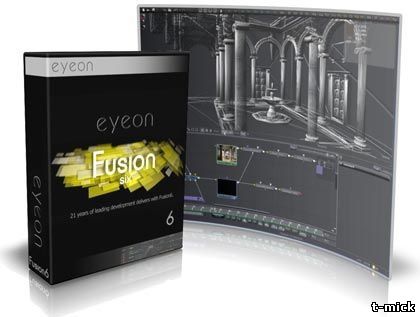
Eyeon Fusion is an image compositing software program created by eyeon Software Inc. It is typically used to create visual effects and digital compositing for film, HD and commercials. It employs a node-based interface in which complex processes are built up by connecting a flowchart or schematic of many nodes, each of which represents a simpler process, such as a blur or color correction. This type of compositing interface allows great flexibility, including the ability to modify the parameters of an earlier image processing step “in context” (while viewing the final composite).

Recommended System Requirements
? Windows XP with /3GB switch
? Dual Processor or Dual Core
? Nvidia/ATI Video Card – capable of displaying 1600×1200, shader support: PS2.0/DirectX9.0 or higher, 64MB or more memory 2 GB RAM

OS: WinAll
Language: English

Eyeon Fusion & RenderSlave 6.1 32x64Bit
ff
Download
ddd