

Miarmy (named ?My Army?) is a Maya plugin for crowd simulation, AI, behavioral animation, creature physical simulation and rendering.
Continue Reading
Maya
All posts tagged Maya

Duration 1h 16m Project Files Included 15FPS MP4 685 MB
In this series of tutorials, we will learn the basics of preparing 3d models for texturing by creating UV layouts in Maya. UVs and UV layouts are important aspects of creating textures for our 3D models. The UV information serves as a bridge between the 3d objects we create and the 2d textures that we apply before rendering. UVs let us tell Maya how to apply the textures across the surface so having a good UV layout can really make a difference in speeding up the texture creation process and making your textures easily editable down the pipeline. We’ll start by talking about the basic concept of UVs before moving on to learn about some of the different UV projection methods. We’ll also talk about editing UVs and using multiple projections. We’ll cover the creation of UV snapshots to give us a guide when texturing and discuss a multi-tile texture workflow. In the end you’ll have a good understanding of the purpose behind UVs and the knowledge you need to start creating and editing your own UV layouts.
Rapidgator
http://rapidgator.net/file/349f58cd8f07931e40bf453aa734a7bd/DTGetStartUVMaya1.part1.rar.html
http://rapidgator.net/file/139fc30f676a2c48781044bfc1090a47/DTGetStartUVMaya1.part2.rar.html
http://rapidgator.net/file/0890667b412b38cdcb61941b0128c4cf/DTGetStartUVMaya1.part3.rar.html
?

Duration 1h 34m Project Files Included 15FPS MP4 678MB
In this series of tutorials we will be learning the process of understanding and simulating a candle flame with the help of Maya fluids. We will be studying in detail the burning of candle flames. We will look at technical theories and discuss the flame’s nature as well as its chemical process. We will learn how to blend such principles to CG art and bring the flame out of the wick with the help of Maya fluids. This course will teach the various technical specifications of fluids and how each and every tweak of the settings can be useful to convert the flame simulation into a realistic behavior. We will advance further into understanding the technical attributes of fluids including density, temperature, dissipation, diffusion, and velocity swirl just to name a few. We will also look at how to bend the flame and have it react to interaction. The end result will take you to the next level of creativity and production workflow understandings.
Rapidgator
http://rg.to/file/d05f7fe1c72b8d8ce9cd334dab24df9d/DTCreRealCanFlaMaya.part3.rar.html
http://rg.to/file/abcc90908e11a83d589d7eac4c7b7995/DTCreRealCanFlaMaya.part2.rar.html
http://rg.to/file/a7b5ef5deaaa54b553b622293535014b/DTCreRealCanFlaMaya.part1.rar.html

Duration 8h 16m Level Advanced Project Files Included 15FPS MP4 2.88GB
In this tutorial we will learn how to create textures and shaders for a digital asset. Throughout these lessons we will look at the steps required to create a professional UV mapping. With proven techniques and workflows used in the visual effects industry, we will create a highly detailed textures and cover all the steps involved during the look development process.
Rapidgator
http://rapidgator.net/file/447f1763f6f65e9480c5e9a76eee79af/DTLoDevVisEffMaya.part1.rar.html
http://rapidgator.net/file/ce67f170ceb2f6c401214b7e2582bd61/DTLoDevVisEffMaya.part2.rar.html
http://rapidgator.net/file/fb429328142248c21953b9896cdb26c8/DTLoDevVisEffMaya.part3.rar.html
http://rapidgator.net/file/6338cb98b9a3b71c707af91468499ff7/DTLoDevVisEffMaya.part4.rar.html
http://rapidgator.net/file/aec03970a832d7a0ac1ee8794982c1c0/DTLoDevVisEffMaya.part5.rar.html
http://rapidgator.net/file/687c16edb1f7aa1a056257a05b554024/DTLoDevVisEffMaya.part6.rar.html
Uploaded
http://ul.to/cf81fc5a
http://ul.to/wk43gevj
http://ul.to/6qlz1cld
http://ul.to/9nvhb63s
http://ul.to/ldby6xtg
http://ul.to/o3e8caip

Duration 6h 21m Level Intermediate Project Files Included 15FPS MP4 2.66GB
In this set of tutorials we will learn techniques for rigging quadrupeds in Maya. We’ll start by learning how to enhance the Flexi system, we created in Advanced Character Rigging in Maya, making it more robust for spines, necks, and areas of the like, while making sure to keep this modular component clean and animator- friendly. We’ll then build our creature’s skeleton from the ground, up, and learn how the Flexi rig can be easily inserted to save us a lot of time. We’ll also learn how to create a robust pose tracking system for driving corrective targets, as well as how to script a few tools with MEL to work faster. By the end of this course, you will have the skill set needed to rig your own quadrupeds with confidence.
Rapidgator
http://rapidgator.net/file/2d524ed05590e64614c962359399ad31/DTRigQuadMaya.part1.rar.html
http://rapidgator.net/file/3a808b1d83925338c7a45ca4fd454348/DTRigQuadMaya.part2.rar.html
http://rapidgator.net/file/db5fa790143a0e052cdd3c58cadd412b/DTRigQuadMaya.part3.rar.html
http://rapidgator.net/file/14563b7791f6f98d1eb4ba1fed3afe63/DTRigQuadMaya.part4.rar.html
http://rapidgator.net/file/ef26475b322da5440f8203a61e59f071/DTRigQuadMaya.part5.rar.html
http://rapidgator.net/file/bba4ccc81a8394b882c49b699106ae33/DTRigQuadMaya.part6.rar.html
http://rapidgator.net/file/88e34af402aaa9d3c3040d543ca0d890/DTRigQuadMaya.part7.rar.html
Uploaded
http://ul.to/celj9gx9
http://ul.to/5jyhkibm
http://ul.to/faghjnd5
http://ul.to/y1rvyz3r
http://ul.to/t18e1v7o
http://ul.to/zuh3ectz
http://ul.to/v79iyubh

Duration 1h 51m Level Intermeidiate Project Files Included 15FPS MP4
In this set of tutorials we will learn how to work more efficiently inside of Maya using MEL. We’ll start by learning how to create a tool to quickly access MEL commands. We’ll then learn about global and local procedures, as well as, how to source external files using MEL. We’ll learn how use MEL to export code, we’ll learn how to build a tool that can trim down time on the setup process for a linear workflow, and conclude the course by learning how to create and manage a Text Scroll List in order to build a constraining tool. By the end of this course, you will have the understanding you need to improve your skill in MEL and be an even greater asset to your team.
Rapidgator
http://rg.to/file/886232dfbcbb283a9aaf0366b76e56a4/DTEnhYMayaToolwMEL.rar.html

CGCircuit – Introduction to the Maya API
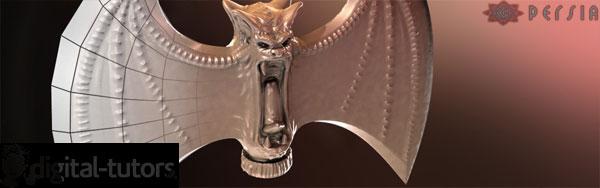
Digital Tutors – Retopologizing Meshes in Maya
Continue Reading

Duration 3h 3m Project Files Included 15FPS MP4 1.37GB
In the final volume of the Quick Start to Modeling in Maya, we’ll build on the concepts covered in
all of the previous volumes.
We’ve built small hard-surface props and set pieces, but in this volume we’ll build an entire character. We’ll use what we’ve learned to this point to block in the different parts of the character and make sure they all fit together well. We’ll discuss character specific topics like animation-ready topology. We’ll use reference images in our scenes and talk about building organic shapes, in addition to the hard surface pieces. We will learn to model efficiently by only creating necessary detail and then mirroring it over.
This project will be a longer process than previous volumes, but the tools and workflow you’ll use will enable you to begin creating your own characters immediately. These courses are designed to be taken in sequence so we really encourage you to start with the first four volumes before continuing with this section.
We also encourage you to take advantage of the assignments that follow each volume. These assignments will allow you to take what you’ve learned and apply those tools and techniques to your own projects.
Rapidgator
http://rg.to/file/8c43de0af1f45a228a948fa8fd348b1d/DTQuStaModMayaVol5.part1.rar.html
http://rg.to/file/58dc16dac6321bf6afeb254368a7b7db/DTQuStaModMayaVol5.part2.rar.html
http://rg.to/file/b7150eb92b59e982c34e0f80c7fd2676/DTQuStaModMayaVol5.part3.rar.html
http://rg.to/file/0780e9213c61459e8e2be443b425c53d/DTQuStaModMayaVol5.part4.rar.html
Filefactory
http://www.filefactory.com/file/3wvhwddzacmv/DTQuStaModMayaVol5.part1.rar
http://www.filefactory.com/file/nsg2acp8jyj/DTQuStaModMayaVol5.part2.rar
http://www.filefactory.com/file/60otmi9j12o7/DTQuStaModMayaVol5.part3.rar
http://www.filefactory.com/file/3rynlytx0fnt/DTQuStaModMayaVol5.part4.rar
Turbobit
http://turbobit.net/pgdtycyzo9nc.html
http://turbobit.net/fjh8b5uujhxq.html
http://turbobit.net/rfl5ygfoot92.html
http://turbobit.net/34aghfg3nw2u.html

Duration 10h 45m Level Advanced Project Files Included 15FPS MP4 5.16GB
In this series of tutorials we will learn how to create a realistic character from scratch, covering modeling and texture creation.
Throughout will go over concept selection, and blocking in of forms using ZBrush 4R6’s powerful suite of tools, we will also be jumping into Maya for base mesh creation for some of more complex pieces. I’ll discuss different sculpting techniques giving you a good overview on different problem areas such as leather or skin pores. We’ll then discuss how to go about texturing and retopologizing the high-resolution models in TopoGun and Photoshop. We’ll be using UV layout for the fast and easy UV creation. Normals and and other maps will be generated using TopoGun, XNormal, and a versatile map creation program.
Over the course of the tutorial we will cover general anatomy, as well as introducing a DynaMesh workflow and topology geared towards animation. We will go over utilizing Polypaint to hand paint our base textures, which will later be enhanced in Photoshop and dDo.The tutorial will end with a semi-low resolution character with normal maps and diffuse geared towards a realtime game workflow. Tips learned here can be applied to any realistic or stylized character.
?
Rapidgator
http://rapidgator.net/file/606c4eb06e6c02f64617b60f1bc9ab45/DTHiReGChCrPiZBMaya.part01.rar.html
http://rapidgator.net/file/4758b322eb53d579b987112c8cfc79e9/DTHiReGChCrPiZBMaya.part02.rar.html
http://rapidgator.net/file/5fa1b759e8acc06ca061f377bca3e7af/DTHiReGChCrPiZBMaya.part03.rar.html
http://rapidgator.net/file/5b5fd30c4a71fdc649f537737337b871/DTHiReGChCrPiZBMaya.part04.rar.html
http://rapidgator.net/file/d4670e0da7a9f847d574594f2e520cb0/DTHiReGChCrPiZBMaya.part05.rar.html
http://rapidgator.net/file/46b98ab9314101f5b8aed955d667018d/DTHiReGChCrPiZBMaya.part06.rar.html
http://rapidgator.net/file/492661aba6eb730785178dcc8c0d1312/DTHiReGChCrPiZBMaya.part07.rar.html
http://rapidgator.net/file/24a1ff2c97cc2569ffb9f82d27b7c147/DTHiReGChCrPiZBMaya.part08.rar.html
http://rapidgator.net/file/c5045793ce228d365d52aa98d619a86d/DTHiReGChCrPiZBMaya.part09.rar.html
Filefactory
http://www.filefactory.com/file/36llc5m6uapp/DTHiResGameCharCreatPipelZBMaya_part01_rar
http://www.filefactory.com/file/4t2usrdpn7gh/DTHiResGameCharCreatPipelZBMaya_part02_rar
http://www.filefactory.com/file/2ehlajcmjpu5/DTHiResGameCharCreatPipelZBMaya_part03_rar
http://www.filefactory.com/file/o34twh8cunt/DTHiResGameCharCreatPipelZBMaya_part04_rar
http://www.filefactory.com/file/1smnzaf0ssbp/DTHiResGameCharCreatPipelZBMaya_part05_rar
http://www.filefactory.com/file/2jpnqy2u02e9/DTHiResGameCharCreatPipelZBMaya_part06_rar
http://www.filefactory.com/file/7gf0u2pk5rw7/DTHiResGameCharCreatPipelZBMaya_part07_rar
http://www.filefactory.com/file/6sndcrzptdz5/DTHiResGameCharCreatPipelZBMaya_part08_rar
http://www.filefactory.com/file/19iwfpbvpfnl/DTHiResGameCharCreatPipelZBMaya_part09_rar
Uploaded
http://ul.to/gcr6r9tv
http://ul.to/hy09y4ai
http://ul.to/glxkfmq5
http://ul.to/56w2j7og
http://ul.to/gnd7q3t5
http://ul.to/iap3x3fv
http://ul.to/q2nwksi9
http://ul.to/08flzn1b
http://ul.to/c58w7qia




