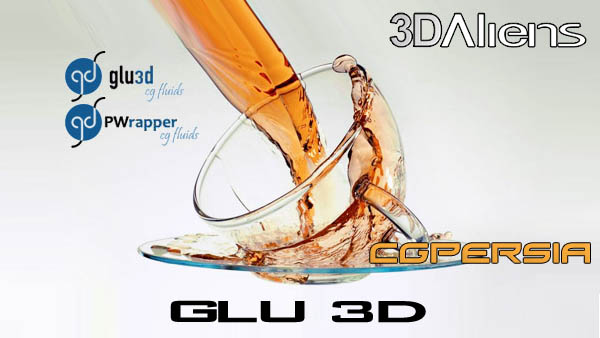
3Daliens Glu3D GPU 1.54 3DsMAX – XFORCE


 Digital-Tutors – UV Mapping Workflows in 3ds Max 2012
Intermediate | 4h 45m | 1.99 GB | Project Files 10 MB | Required Software: 3ds Max 2012
In this 3ds Max tutorial, we will discuss the improved workflows and tools that 3ds Max has to offer in the UV Editor. Then we’ll discuss the different projection map types and some possible situations of when to use the correct map type. We’ll learn how to use the powerful UV mapping tools like Stitch, Relax, Flatten Mapping, Target Welding, and Break. UV mapping is going to be essential for anyone who loves 3d modeling because it’s going to allow us to create our very own custom textures to apply to our 3d models.
Home:
http://www.digitaltutors.com/11/training.php?pid=635
Download:
http://bytesbox.com/!/7PO2msYHmPhJA1f/
http://bytesbox.com/!/T1rdnj2ZRMCqWzP/
http://bytesbox.com/!/f1aIXYb4NljEfTt/
http://bytesbox.com/!/ME0frYyUuZ9KH1A/
http://bytesbox.com/!/80xdPS2JV0yCuxg/
http://bytesbox.com/!/GcZChSPEuMFLB73/
http://bytesbox.com/!/qjbkoqCuP0UuJoM/
http://bytesbox.com/!/XUODXJebGNnglji/
http://bytesbox.com/!/ABX3GE2EanePEGg/

http://ul.to/folder/rllveu

video2brain – Ateliers pratiques avec 3ds Max 2012
French | Advanced | 7h 11m | 2.48 GB | Project Files are not included | Required Software: 3ds Max 2012
3D at your fingertips
Practice, practice and practice again! There is nothing like learning to handle software with confidence and efficiency. You will learn what’s new in version 2012 and will have the opportunity to apply the tips and methods your trainer at the various workshops offered in this training.
Home:
http://www.video2brain.com/fr/products-387.htm
Download:
http://bytesbox.com/!/yZN7MFBGE5OPLiJ/
http://bytesbox.com/!/Ji0HZeR6qWTy20a/
http://bytesbox.com/!/eRCIeyifwJvcfO6/
http://bytesbox.com/!/37H7AB0A11F75OE/
http://bytesbox.com/!/vxjfq5tZI4HCnaM/
http://bytesbox.com/!/8aDYnozsLei197N/
http://bytesbox.com/!/FkZALPaX5iPJwFS/
http://ul.to/mgrtf1zp/v2bApa3dsM2012.part1.rar
http://ul.to/d6vmyxr7/v2bApa3dsM2012.part2.rar
http://ul.to/tlkk023v/v2bApa3dsM2012.part3.rar
http://ul.to/kgbyqvav/v2bApa3dsM2012.part4.rar
http://ul.to/5j7yu2td/v2bApa3dsM2012.part5.rar
http://ul.to/2iic0rht/v2bApa3dsM2012.part6.rar
http://ul.to/bb9cq87n/v2bApa3dsM2012.part7.rar

Digital-Tutors – 3ds Max for Motion Graphics
Advanced | 4h 53m | 3.45 GB | Project Files 1.80 GB | Required Software: 3ds Max 2011, MatchMover, After Effects CS4
This collection of tutorials shows artists how to create an eye-catching motion graphics spot using 3ds Max and After Effects. In this training you will learn from several Digital-Tutors instructors, each of whom will be guiding you through a portion of the entire production pipeline used to create our final motion graphics piece. We will begin by exploring many of the powerful modeling tools found in 3ds Max, and utilizing these tools to build our 3D motion graphics elements. From there, we will look at a number of animation tools and features that will allow us to quickly add movement and life to our 3ds Max elements. From there, we will learn how to incorporate dynamic elements such as flowing cloth, smoke, and sparks into our scene. Finally, we will learn how to render out our elements from 3ds Max, and utilize After Effects for final compositing and sweetening of our motion graphics spot.
Home:
http://www.digitaltutors.com/11/training.php?pid=585
Download:
http://bytesbox.com/!/zluUFAPNlyHqiCW/
http://bytesbox.com/!/MjR9FQfVPK0iFWH/
http://bytesbox.com/!/kKs8EcRbYGR4jQW/
http://bytesbox.com/!/ZbPWTpy4IDOMtwv/
http://bytesbox.com/!/9Y42AUW7Qy032Cw/
http://bytesbox.com/!/LQ8Jew97PR3uDrM/
http://bytesbox.com/!/P743coZ39d69J6b/
http://bytesbox.com/!/QcBTj607PgTbuM0/
http://bytesbox.com/!/6GaQ3qKeZm1lfQ9/
http://bytesbox.com/!/c251Uhv9kIff53q/
http://bytesbox.com/!/iaSpulmJYWj5IP8/
http://bytesbox.com/!/iNgSUYrO9A2BYFr/
http://bytesbox.com/!/tkouBZJ8rgnsH32/
http://bytesbox.com/!/yobMepNdmjj7ivB/
http://bytesbox.com/!/Nb9MZB0r6q2LOLM/



 CG Channel News