Video Learning

All posts tagged Video Learning


LightWave 3D 9.x Advanced Cartoon Series: Head Modeling

This is the first video in a large series on Advanced Cartoon Character creation. This video series from KURV studios is unlike any training ever done for LightWave 3D. We started with a character from PushPen Studios. An extremely professional character just like one you would be handed at studios like Dreamworks or Pixar Animation Studios.

Continue Reading

n this lecture, Tim breaks down the process of rendering passes out of 3ds Max and demonstrates how to composite them together in Digital Fusion. Learn how to generate many different types of passes and how they are used in production. Identify and correct commonly occurring issues, from incorrect matte edges to bit depth and color correction. Acquire an understanding of what happens under the hood inside your 3D software and how to mimic that behavior while compositing to produce the highest quality renders. Tim demonstrates his techniques using Scanline, V-Ray and Brazil.

Continue Reading

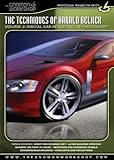
Gnomon – Harald Belker 2: Digital Automotive Rendering (photoshop)

AVI | 718 MB

There are many ways to render an automobile. Harald will take you through the steps to render an automobile with Adobe Photoshop
through the use of paths, layering colors, surfacing and highlights. You will see his strategy for layer building, shading the form in color,
rendering wheels, and background design. The end result of this demonstration is a quick but powerful color rendering executed with a digital medium.

Continue Reading

GDC 2009 – Presentation videos ( Autodesk : MotionBuilder, 3ds Max ,? Kynapse , Maya , Softimage, Mudbox)

Learn about the latest version of MotionBuilder, 3ds Max ,? Kynapse , Maya , Softimage, Mudbox. These demonstrations walks you through some of the most anticipated features in Autodesk apps.

Continue Reading

Great lighting is the key to getting professional-looking output from Maya and Mental Ray. Now, for the first time, Pixar Technical Director Jeremy Birn shares his secrets, his settings, and his Maya scenes, in a Maya-specific training DVD. This new DVD features over 3 hours of tightly edited demonstrations of professional lighting and rendering techniques using

Maya and Mental Ray. Continue Reading

* Be introduced to modeling theories
* Learn how to use powerful tools like the Soft Modification Tool and the Split Edge Ring Tool.
* Learn how to create custom hotkeys and marking menus
* Import image planes and block out a character

* Create an Adobe Photoshop network
Continue Reading

Learn an artist-friendly workflow to creature rigging and a solution-based approach to building controls for faster animation in Maya. Contains over 6 hours of project-based training for setup artists learning new methods of rigging multi-limbed creatures.

Continue Reading