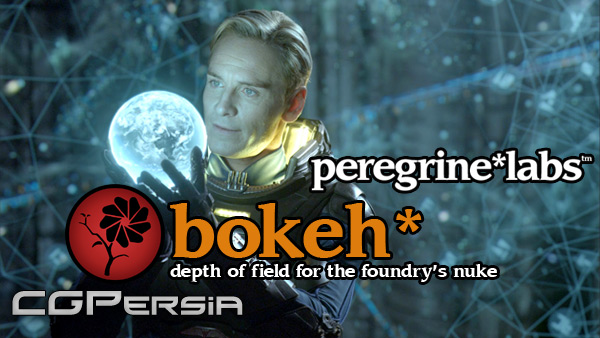
A fast and efficient plug-in for producing out of focus effects within The Foundry?s Nuke.
Features:-
deep data support for both colour and depth
traditional z depth support
varying lens shapes including a user supplied image
simulated lens aperture blades
lens blooming
spherical and chromic aberration simulation
f-stop and focal length settings for real world lens simulation
Nuke 3d camera input
matte inputs to control defocus, blooming and chromic aberration
visualization of focus regions and lens shapes for finer feedback
highly optimized to make use of multiple cores and SIMD processors
Version 1.3.5 Support
Windows Nuke 7.0
Windows Nuke 6.3
11 comments on “PeregrineLabs – Bokeh v1.3.5 For NUKE Win64”
Thanks CG Persia for all that
May somebody explain how to install this???
@ dimetilami
This is how can add other non-installable plugins too. including gizmos in the toolbar.
With the download, you got menu.py and init.py. Add the lines from the init.py to the init.py in the Plugins folder(e.g: C:\Program Files\Nuke6.3v4\plugins). also copy the .dll file with one .manifest file to this folder.
go to the folder:
C:\Users\Youraccountname\.nuke folder. Here you have the menu.py(A) file. Copy the lines from the menu.py(B) file from Bokeh and paste it in the menu.py(A)..e.g
#Bokkeh –here you can write any comment as hashes make a line comment. you can add this line in init.py file also before the actual script.
copy the pgBokeh.png icon supplied from boken into this (.nuke) folder also.
*.py: THE .PY FILE CAN BE OPEN WITH NOTEPAD to edit it.
Its not cracked! not working at all.
NO VALID LICENSE!
i can t install it with the instruction. iits said -no plugin named pgBokeh found- and i paste all the data in he plugins folder, and made the change in the menu.py and init.py … any help?
i think its not reading the pgBokeh.dylib file…
thanks!
http://cgpeers.com/torrents?id=21636
very very cool!! thanks!!
Sorry..Something to be changed here.
pgBokeh.dll in the plugins folder and the msvcm80.dll and other dll files in the Nuke 3.4 root folder. You’ll have to replace the old. dll files in the nuke folder. (better to copy them).
The plugin gets configured in the init.py file
and its interface in the menu.py file
But there is no LICENSE. I just installed it but without license. The license requires a RLM service to be installed. Like we have services for other plugins.
There’s no license. No use without it.
where di I get the license, can’t use the plugin without a license :/
I dont understand either. I tried to install, folowing the instruction but I have the message “no valid license available”
Warning: Be sure to scan all the downloaded files with your Antivirus and if there is an executable or installer file, make sure to have your antivirus active and open in the background while installing or running the app. Some of the materials posted here are downloaded from CGPeers, So they could potentially have something injected in them.
We always ask bloggers to scan all the files before publishing the posts, but sometimes it's hard to detect all these things, so if you found anything suspicious (Not false positive, Generic, Patcher, Riskware and Heuristic results, most patches could get false flags like that by some Antivirus companies.) be sure to post comments with the file name and a VirusTotal report result link or the file MD5 Hash (higher than 30% overall positive result). Thank you.










Thanks CG Persia for all that
May somebody explain how to install this???
@ dimetilami
This is how can add other non-installable plugins too. including gizmos in the toolbar.
With the download, you got menu.py and init.py. Add the lines from the init.py to the init.py in the Plugins folder(e.g: C:\Program Files\Nuke6.3v4\plugins). also copy the .dll file with one .manifest file to this folder.
go to the folder:
C:\Users\Youraccountname\.nuke folder. Here you have the menu.py(A) file. Copy the lines from the menu.py(B) file from Bokeh and paste it in the menu.py(A)..e.g
#Bokkeh –here you can write any comment as hashes make a line comment. you can add this line in init.py file also before the actual script.
toolbar = nuke.toolbar(“Nodes”)
toolbar.addCommand( “Peregrine/pgBokeh”, “nuke.createNode(‘pgBokeh’)”, icon=”pgBokeh.png”)
copy the pgBokeh.png icon supplied from boken into this (.nuke) folder also.
*.py: THE .PY FILE CAN BE OPEN WITH NOTEPAD to edit it.
Its not cracked! not working at all.
NO VALID LICENSE!
i can t install it with the instruction. iits said -no plugin named pgBokeh found- and i paste all the data in he plugins folder, and made the change in the menu.py and init.py … any help?
i think its not reading the pgBokeh.dylib file…
thanks!
http://cgpeers.com/torrents?id=21636
very very cool!! thanks!!
Sorry..Something to be changed here.
pgBokeh.dll in the plugins folder and the msvcm80.dll and other dll files in the Nuke 3.4 root folder. You’ll have to replace the old. dll files in the nuke folder. (better to copy them).
The plugin gets configured in the init.py file
and its interface in the menu.py file
But there is no LICENSE. I just installed it but without license. The license requires a RLM service to be installed. Like we have services for other plugins.
There’s no license. No use without it.
where di I get the license, can’t use the plugin without a license :/
I dont understand either. I tried to install, folowing the instruction but I have the message “no valid license available”