
Duration 1h 2m Project Files Included MP4

Title: Udemy – Blender Essentials for Beginners: Viewport
Info:
What you’ll learn
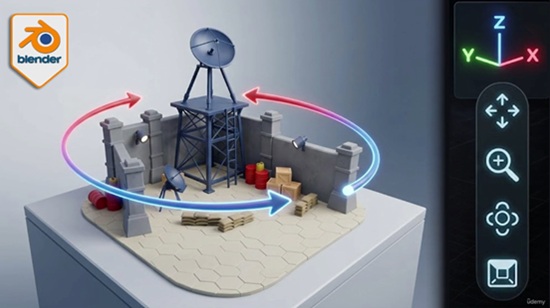
Navigate the Blender viewport confidently using the orientation gizmo, on-screen controls, and Middle Mouse Button shortcuts
Snap to precise orthographic views (Front, Side, Top) and build clean isometric angles with the Numpad
Understand and toggle between Perspective and Orthographic projection for distortion-free previews
Explore scenes in first person with Fly and Walk modes, including gravity, jumping, and teleporting
Frame, isolate, and reset your view instantly with Frame Selected, Frame All, Local View, and Zoom Region
Customize orbit, zoom, and input behaviour in Blender Preferences to match your hardware and workflow
Set up navigation for laptops, tablets, and 3D (NDOF) mice using Emulate Numpad and input options
Tired of fighting the Blender viewport instead of building in it?
Almost every beginner hits the same wall: you open Blender, try to move around your scene, and within seconds you’re upside down, zoomed into nothing, or staring at a black void with no idea how you got there. Before you can model, sculpt, or texture anything, you have to be able to move — confidently and precisely.
This course fixes that, completely.
Blender Essentials: Stop Getting Lost in the Viewport is a focused, beginner-friendly course that turns viewport navigation from your biggest frustration into second nature. Across 11 hands-on lessons, you’ll master every way Blender lets you move through 3D space — from the on-screen gizmo and mouse shortcuts, to first-person Fly and Walk modes, to the precise Numpad views professionals use every day.
Here’s what makes this different: we don’t just show you the buttons — we explain why each control exists and when to reach for it. You’ll understand the difference between Perspective and Orthographic projection, learn to snap to exact axis views, frame and isolate objects instantly, and even customize Blender’s navigation Preferences so the viewport behaves exactly how you want it to.
By the end of this course you will be able to:
Orbit, pan, and zoom smoothly using both on-screen controls and mouse shortcuts
Snap to precise Front, Side, Top, and isometric views on demand
Explore large scenes in first-person using Fly and Walk modes with gravity
Frame, isolate, and reset your view with essential viewport shortcuts
Tailor Blender’s navigation settings to your hardware and workflow — laptop, tablet, or 3D mouse
This is the foundation every Blender artist needs, whether you’re heading into modeling, sculpting, environment art, or animation. Get the navigation right first, and everything after it gets easier.
No prior Blender experience required — just install it (it’s free) and press play.
Ready to stop getting lost? Enroll now and take control of the Blender viewport.
Who this course is for:
Complete beginners who have just installed Blender and feel overwhelmed by moving around the 3D viewport
Self-taught artists who can model a little but still feel clumsy or disoriented navigating their scenes
Students coming from other 3D software who need to learn Blender’s specific navigation controls
Laptop, tablet, and 3D-mouse users who want to configure Blender to navigate comfortably on their setup
Anyone who wants a rock-solid foundation before moving on to modeling, sculpting, or environment art


https://rg.to/file/f664e6634571fbb33e0e0aadf61a46f4/UdemyBlenderEssentialsforBeginnersViewport.part1.rar.html
https://rg.to/file/e6233d789bb26a4a1cfbc1850d801f8d/UdemyBlenderEssentialsforBeginnersViewport.part4.rar.html
https://rg.to/file/2ec0395a0959323d17f2d4562b6afffc/UdemyBlenderEssentialsforBeginnersViewport.part2.rar.html
https://rg.to/file/0f93cd2312c641c4df10b536483b24ef/UdemyBlenderEssentialsforBeginnersViewport.part3.rar.html
https://rg.to/file/d380d18175a0644eff56d6bcd04e708b/UdemyBlenderEssentialsforBeginnersViewport.part5.rar.html

https://alfafile.net/file/Awut2
https://alfafile.net/file/Awuta
https://alfafile.net/file/Awutt
https://alfafile.net/file/Awut5
https://alfafile.net/file/Awutq

https://nitroflare.com/view/046A05104C3AE23/UdemyBlenderEssentialsforBeginnersViewport.part1.rar
https://nitroflare.com/view/D2888E78B66BEC7/UdemyBlenderEssentialsforBeginnersViewport.part2.rar
https://nitroflare.com/view/E7AB4AF0B12DC8E/UdemyBlenderEssentialsforBeginnersViewport.part3.rar
https://nitroflare.com/view/E7A7B7F62C06C54/UdemyBlenderEssentialsforBeginnersViewport.part4.rar
https://nitroflare.com/view/C4209EBD4E5F727/UdemyBlenderEssentialsforBeginnersViewport.part5.rar

https://send.now/ndfda991dutk
https://send.now/n1fro6lj3x59
https://send.now/n5t2t6wad9hu
https://send.now/y75cru24kxau
https://send.now/sinv938s9h53




