Videos


CG Academy – MAXScript Fundamentals 1 – Variables Macroscripts & Functions

Description
In this first DVD in our MAXScript Fundamentals series Laszlo will take you through the first principles of MAXScript, such as Variables, Properties, For Loops, Flow Control, making your code into a MacroScript for easier access on your toolbars, Functions and how to make your own custom Functions from your own MAXScript code.
This DVD is aimed at an intermediate 3dsmax user who wants to harness the power of MAXScript and at those moving over to 3dmax from another platform that need to transfer their scripting skills. MAXScript will allow you to both to make your workflow easier via custom tools, and also to push beyond any limits placed on you by the systems GUI. Note: No previous programming or scripting experience is needed for this DVD.

Continue Reading


CG Academy: Particle Flow Fundamentals 1: Principles and Workflow

Description
This DVD introduces the user to Particle Flow, the new schematic particle system first introduced in release 6.0 of 3dsmax. Chris will guide you through the fundamentals of what particles are, how Particle Flow is structured, the elements of its GUI and on how to construct your own first Particle Flows.
This DVD is aimed at an intermediate 3dsmax user, someone who is comfortable with its interface and workflow. The DVD does not assume any previous particle system experience however and is suitable to those that are new to the field, as well as to those moving over from other 3d software packages.

Continue Reading

?Training for 3Dsmax

Description
In this DVD Paul will take you through rigging the Ogre?s Spine using an FK system in conjunction with wired control objects. He then demonstrates how to create an inverse foot rig using reactor controllers and scripted custom attributes to facilitate a smooth foot-roll system. Finally we learn how to modify the leg bones using expression controllers to create a working leg stretch system.
This DVD is aimed at 3dsmax users that are familiar with the basics of rigging such as IK and FK systems, Expression, Script and Reactor Controllers and so on. The DVD along with the others in the series aims to take those fundamentals skills to the next level and to allow you to create production level character rigs that are flexible, easy to use and fast to work with.

http://www.cg-academy.net/dvds_menu_3dsmax.php

Continue Reading


Version 3.0 of PolyBoost has now been released!

This new version evolves the concept of working with edgeloops with new tools such as CurveLoop, SpaceLoop, StraightenLoop, CircleLoop, RelaxLoop,tools for moving and building in screenspace in PolyDraw, advanced UVW Unwrap tools, new selection functionality and many fixes throughout PolyBoost.

Check out the preview video here.
Continue Reading

Digital Tutors – Creating Cartoon Sets in Maya

Learn a time-saving workflow to creating cartoon sets, look development for environments, and production techniques for modeling, UV layout, texturing, and shader assembly.
Contains over 6 hours of project-based training and guides artists step-by-step through a proven approach to the modeling, texturing, and shading processes of creating stylized cartoon sets and environments as seen in animated feature films.

http://www.digitaltutors.com/store/product.php?productid=3409&cat=39&page=1

Continue Reading

http://digitalcontentproducer.com/mag/501MIL_hwAssimilate.jpg


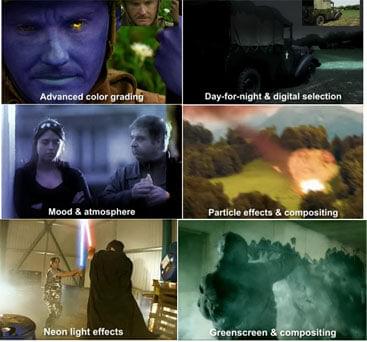
ASSIMILATE SCRATCH V3.5 XFORCE

The essential mix…

Digital post-production workflow with robust feature set: films,

documentaries, trailers; visual effects; 2k viewing suite

Resolution independent: 2k/4k film, digital film, HD, SD

Data management of myriad film/project files

Easy-to-use, streamlined, digital end-to-end pipeline

Increased speed and productivity

Continue Reading