Video Learning

All posts tagged Video Learning

null

This lecture is an introduction to character animation as it relates to video games and interactive media.
Instructor Robert Coddington takes you step-by-step through the basics of Maya, its animation tools, the graph editor and dynamic character posing. He guides you through the animation of simple, yet expressive game-style assets, demonstrating simple loops and transitions and creating a run cycle. As an added bonus, this DVD also includes a professional quality character rig so you can follow along and get started animating in Maya right away.
Continue Reading

null

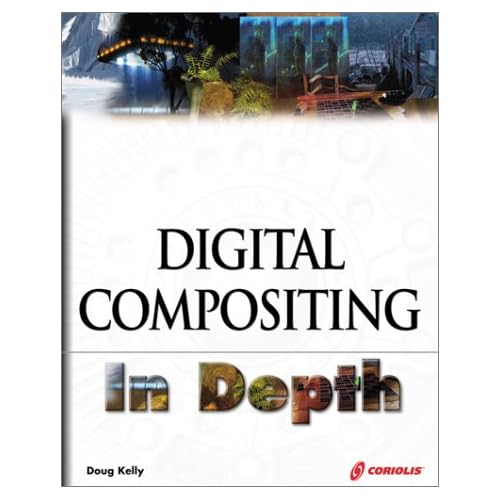
There is often far more going on in any given frame of a contemporary movie or commercial than meets the eye. In Digital Compositing in Depth, the techniques of both visible and invisible effects are explored and explained.

Obvious visual effects are pervasive in today’s broadcast media; less obvious effects like color correction, image stabilization, object removal, and virtual backgrounds are more common than most observers might guess. Continue Reading

Animation Tutorial from ILM & Sony Animator

Humanoid Animation I features the most complex walk cycle ever recorded for an animation tutorial video. In this video veteran animator David Weinstein will show you how he breaks down and begins his walk cycles – moving onto cleanup – and finally the high resolution details. Using a layering technique, David will show the viewer how to understand the mechanics of each section of the body. Building and blending all the body quadrants together to achieve a full character walking performance. Then in the final stages bringing the character to life by adding high frequency animation additions including keyframed skin, muscle, fat and facial performance. This is a tutorial that should not be missed.

Continue Reading

null

In this instructional video Zack Petroc elaborates on his approach to digital sculpting through the creation of a female character. Starting with a low resolution box mesh, the viewer watches as Zack begins by adding gesture and rhythm to the character and then takes the design through to final detailing. The lesson takes place in ZBrush 3.0 showcasing a unique approach to developing surface, reading three dimensional form, and establishing relationships between muscle groups. This lecture is intended for all students and professionals who wish to strengthen their character work through furthering their knowledge of human anatomy.

Continue Reading

null

If you guys are a fan of LOTR then this is just the project for you! Remember the awesome looking Oliphant? Well you to can now follow through this step by step tutorial and model it yourself!

Kurt takes you right from the very start – setting up your image reference planes – to your modeling and final render. We continue the Oilphant Modeling by laying out the UV?s using strips of color which we will use to planar map as well as automatic map to achieve flat Uvs. Once we have our creatures UV?s underway we will use tools such as move and sew UV?s, as well as cut UV?s, to combine and reshape to create a nice flat combined UV map. After our UV map is created its time to learn how to create a UV snapshot to import into a paint program like Photoshop so we can begin to hand paint both the skin color as well as the bump textures of the character. You will learn how to use layers and colors in Photoshop as well as different brush settings to build up skin color. Near the end of the project we will do some prodedural texturing using some of the built-in Maya materials and textures to texture the rigging on our characters back. Continue Reading

null

In this DVD, John presents the process of creating an underwater effects shot, thoroughly explaining each step of the process from inception to completion. Starting with an ocean bottom and a camera move, John shows how to create underwater atmospheric conditions such as floating particulate matter, photo-real bubbles, water fog and caustic light rippling down through a wavy sea surface. John then uses Maya Dynamics system to build additional elements into the shot, demonstrating their use within the shot environment.
He shows how to use springs and goals to create an anchor and dynamic rope dropping to the sea floor, as well as how to use particle instancing with goals to create dynamic schools of fish. John then walks you through the final steps to create flowing sea grass and billowing sand when the sea bottom is disturbed. By the end of this DVD you will not only have a completed shot ready for fine-tuning and compositing, you will also have the ability to create your own fantastic underwater shots.

Continue Reading

Digital-Tutors:Character Creation in ZBrush

Software: ZBrush 3.1 and up, Subtool Master (free plugin)
Run Time: 4 hrs. 10 min., 2 discs

Create characters fast. Learn a practical workflow to character creation in ZBrush and a time-saving approach to rapidly shaping detailed concepts from simple ideas. Contains 4 hours of project-based training and gives artists the freedom to work creatively and with more flexibility.

Continue Reading



